Weather API
Live weather information is fetched through REST API requests and used as the data source for the scene.
Weather API / 3D Simulation
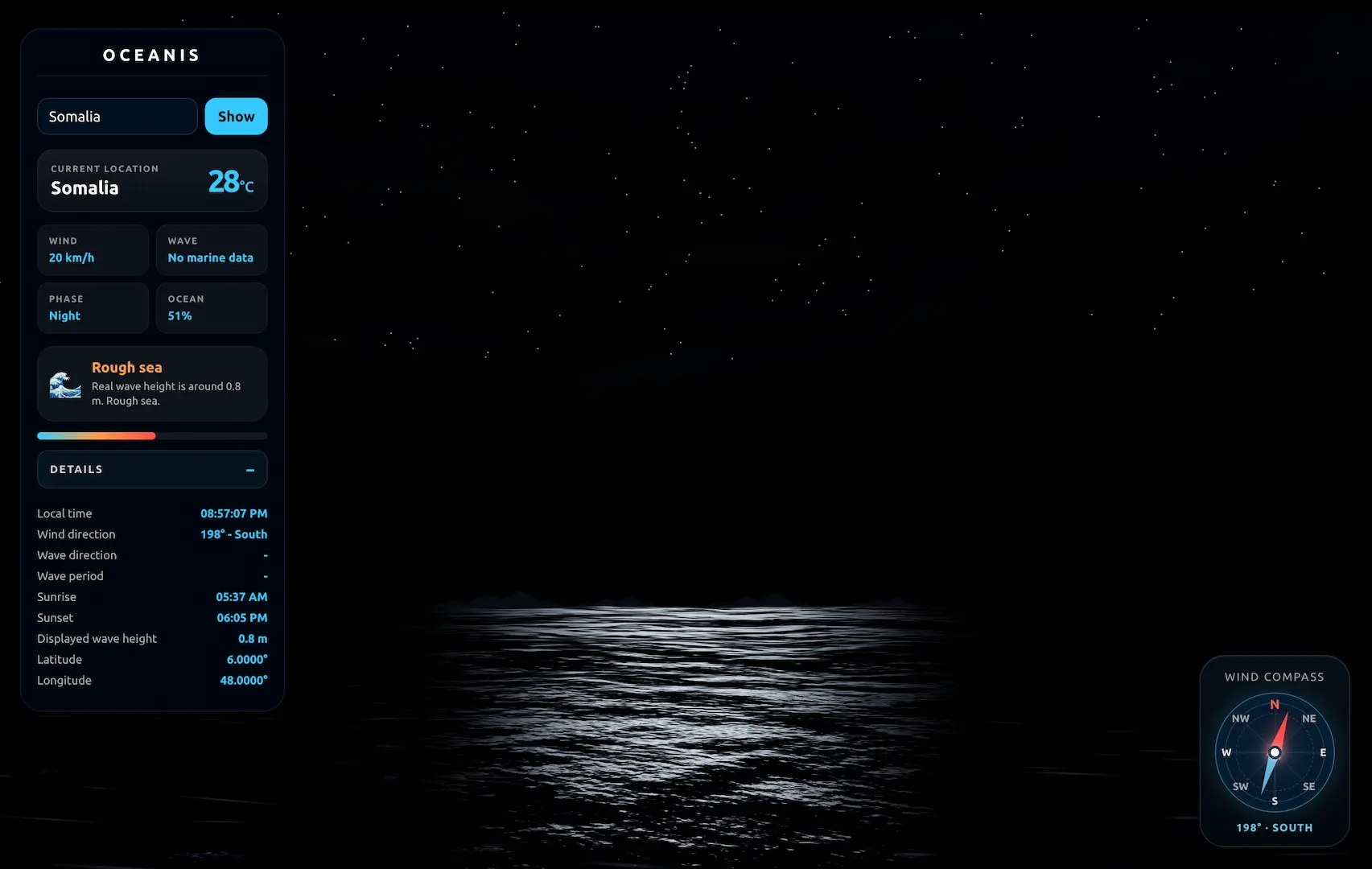
A browser-based visualization that connects live weather data with dynamic ocean rendering, generating realistic waves and environmental conditions from real-time API information.

Overview
This project retrieves real-time meteorological data from external APIs and translates it into visual simulation parameters. Wind speed, direction and environmental conditions influence the generated ocean surface, creating a browser experience that reacts to live weather information.
Features
Live weather information is fetched through REST API requests and used as the data source for the scene.
Wave movement responds to weather-based parameters such as wind speed and environmental intensity.
The experience can visualize changing atmospheric conditions for a selected location.
Three.js renders the ocean scene directly in the browser with interactive camera movement and smooth updates.
Data Pipeline
The application requests current weather data from an external API.
Weather values are parsed and converted into usable simulation parameters.
Wind and condition data influence wave strength, motion and atmosphere.
The final result is rendered as an interactive ocean visualization in the browser.
Technology
FAQ
Oceanis explores how real-world weather data can be transformed into an interactive 3D experience. Instead of showing weather as numbers or a static forecast, the project converts API data into ocean movement, atmosphere and visual feedback inside a browser-based simulation.
Weather values such as wind speed, direction and environmental conditions are parsed from the API response and mapped to simulation parameters. These values influence wave intensity, movement and the overall feeling of the ocean scene.
A direct API response is not immediately useful for rendering. The data needs to be requested, validated, converted and mapped into values that the 3D scene can understand. This pipeline separates raw weather data from visual behavior and makes the system easier to extend.
The main challenge was connecting unpredictable external data with a smooth real-time rendering loop. Weather APIs can return changing values, missing fields or delayed responses, while the 3D scene still needs to remain responsive and visually stable for the user.
The project separates API fetching from rendering logic. Weather data is processed into controlled simulation parameters before it affects the scene, preventing sudden or invalid API values from directly breaking the visual experience.
A video can look good, but it cannot react to live data. Real-time rendering allows the ocean to change based on actual weather conditions, user interaction and location-based parameters, making the experience dynamic instead of pre-rendered.
Performance is managed by keeping the rendering loop focused on visual updates while API communication happens separately. Three.js handles the real-time WebGL scene, while weather data is converted into lightweight parameters that can be applied without overloading the browser.
The main trade-off was between realism and reliability. Instead of trying to simulate every physical ocean property, the project focuses on translating key weather signals into believable visual behavior that remains smooth, stable and understandable to the user.
Oceanis demonstrates API integration, data processing, real-time 3D rendering, WebGL performance awareness and interaction design. It shows the ability to connect external data sources with browser graphics in a structured and maintainable way.